
Designing a Command & Control Center That Scales
A command center is only as good as the decisions it enables. Here's how to design one that stays responsive as your sites, feeds, and teams grow.
On this page12 sections
When an incident happens, the people in your command center have seconds to understand it and minutes to act. A well-designed centre turns dozens of feeds and alarms into a single, clear picture — a poorly designed one buries the operator in noise. This article sets out how to design a command and control centre that scales: from integrating systems and shaping operator workflows to the room, the infrastructure, and the resilience that keeps it running as your sites, feeds, and teams grow.
Start with what the centre must decide
Before choosing screens or software, define the centre's job. Which sites will it monitor? Which events must it handle — intrusion, fire, access violations, equipment faults, medical emergencies? What can operators do themselves, and when do they escalate to site security, facilities, or management? Write these down as a short operating concept. It drives every later decision, from how many operator positions you need to which alarms deserve a place on the video wall.
A useful test is to list the ten most likely incidents and walk through each one: what triggers it, what the operator needs to see, who they call, and how the incident is closed. Gaps in that walk-through become requirements.
Unify the feeds
The foundation is integration: cameras, access control, fire and intrusion alarms, and building systems should surface in one operating view rather than across separate screens and logins. Operators can then correlate events — an access-denied attempt followed by a door forced open — instead of missing the connection.
In practice, unification usually means a video management system (VMS) or physical security information management (PSIM) platform that receives events from each subsystem and links them to cameras, maps, and procedures. When integrating, check:
- Which events are passed through, and at what level of detail — a fire panel reporting "zone in alarm" is less useful than one reporting the specific detector.
- Camera association, so that an alarm automatically brings up the relevant live and recorded views.
- Site maps and floor plans with device locations, so operators can understand where an event is without local knowledge.
- Two-way control, such as unlocking a door or triggering a public address announcement from the console, with appropriate permissions.
Reduce noise before it reaches the operator
Integration can make things worse if every event lands on screen. Nuisance alarms, door-held-open warnings, and camera tamper alerts can quickly outnumber real incidents. Tune detection settings at source, set priorities so critical alarms always appear first, and suppress or group low-value events. Review alarm statistics regularly and fix the sources of repeated false alarms rather than training operators to ignore them.
Design operator workflows around escalation
Monitoring is the easy part; acting consistently is harder. Each alarm type should have a standard operating procedure built into the platform as a guided checklist: verify, assess, act, escalate, and close with notes. This makes response consistent across shifts and gives you a record of what was done.
Plan staffing around realistic workload, including night shifts and holidays, and define how incidents are handed over between shifts. Keep contact lists and escalation trees up to date — an outdated phone number can undo an otherwise well-designed process.
Get the room right
Operators often work long shifts in the room, so ergonomics directly affect alertness and accuracy.
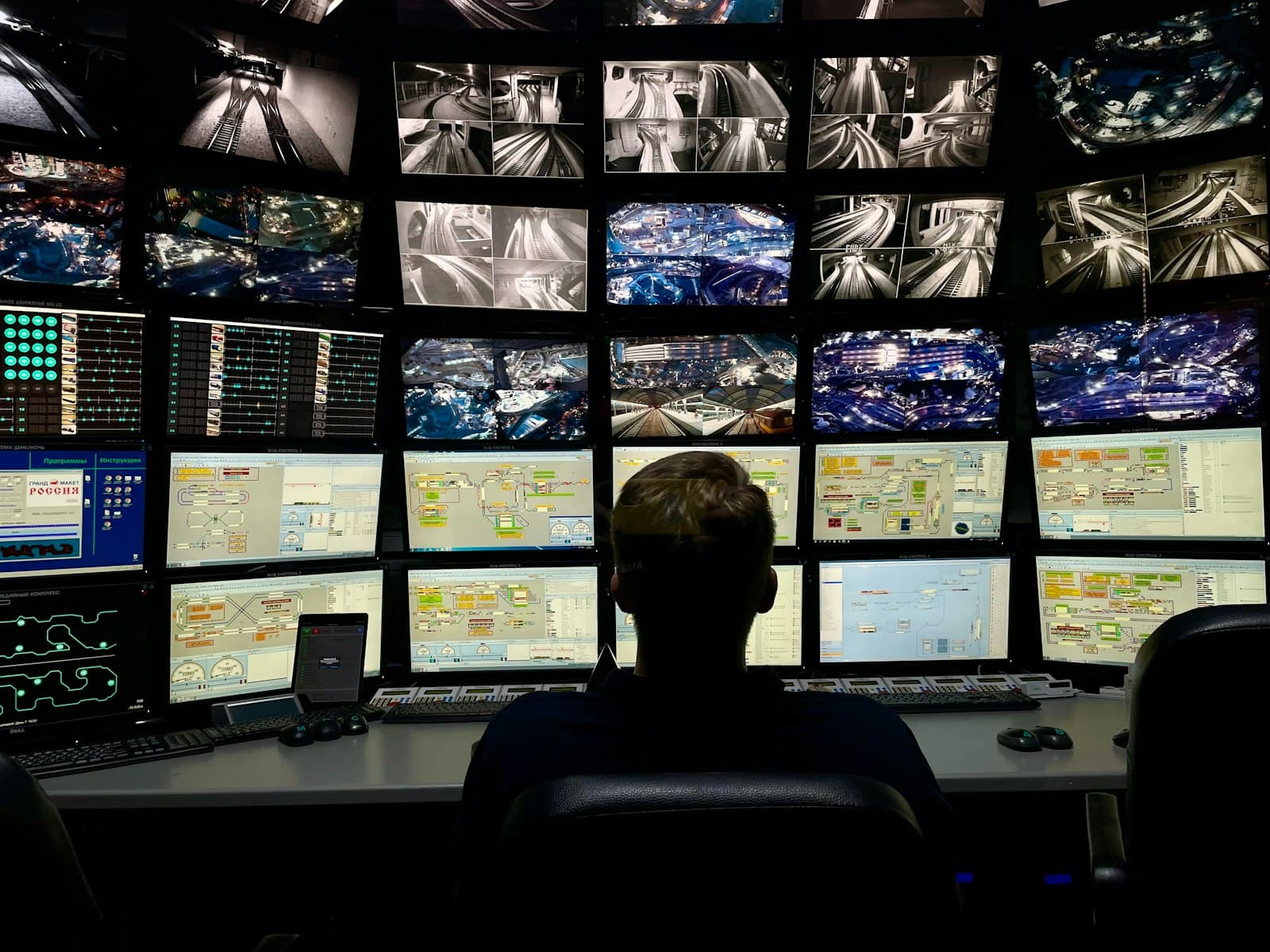
- Video wall. Size it for shared situational awareness — maps, priority cameras, alarm summaries — rather than trying to show every camera. Operators work mainly at their own desk screens; the wall is for context and collaboration.
- Sightlines and viewing distance. Position consoles so every operator can read the wall comfortably without turning, and keep desk screens at a sensible distance and height.
- Lighting and acoustics. Use glare-free, dimmable lighting and acoustic treatment so phone calls and radio traffic do not overwhelm the room.
- Furniture and space. Choose control room consoles built for continuous use, with cable management and room for additional positions.
- Supervisor and crisis space. A supervisor position with an overview of the room, and an adjacent space with video conferencing for managing major incidents with leadership, are worth planning from the start.
Design for growth
The centre you build for five sites should not break at fifty. That means choosing platforms with headroom, standardising how new sites are onboarded, and planning video-wall layouts and operator workflows around escalation, not just monitoring. Redundant power, network, and recording keep the centre running when it matters most.
Growth planning in practice includes:
- Software licensing and architecture that can add cameras, sites, and operator seats without replacing the platform.
- A site onboarding template — naming, device mapping, alarm priorities, procedures, and test steps — so every new location is integrated the same way.
- Network capacity between sites and the centre. Most centres do not need every camera streaming continuously; on-demand viewing of priority cameras and event-triggered video keep bandwidth manageable. Our IT infrastructure services cover the WAN, switching, and cabling side.
- Spare physical space — console positions, rack space, and power and cooling capacity for additional equipment.
Build in resilience
A command centre that fails during a power cut or link outage is a single point of failure for the whole estate. In the Indian context, where grid supply and connectivity vary between locations, resilience deserves particular attention:
- UPS and generator backup for the centre, sized for realistic outage durations, with regular testing under load.
- Diverse network links from different providers where possible, with automatic failover.
- Redundant servers or failover for the VMS/PSIM, and recording that continues at site level if the centre is unreachable.
- A documented fallback plan — including an alternative location or remote access for key operators — if the centre itself must be evacuated.
- Strict access control to the room and to the platform, with role-based permissions and audit logs, since the centre holds sensitive footage and controls.
Fire detection for the centre itself should be designed to applicable standards such as NBC 2016 and integrated with your fire alarm systems, with suppression chosen to suit electronic equipment.
Frequently asked questions
How many operators does a command and control centre need?
It depends on the number of sites, alarm volume, and how much work is automated or filtered before reaching an operator. Start from your operating concept and measured or estimated alarm rates, then plan shifts, breaks, and peak periods. Review staffing once real alarm data is available.
Should every camera be shown on the video wall?
No. The wall works best as a shared overview of maps, alarm status, and priority cameras. Operators use their own screens for detailed investigation, and alarms should automatically call up the relevant cameras.
Can a command centre monitor sites with different equipment brands?
Often yes, through integration with a VMS or PSIM platform, but the depth of integration varies by product. Standardising equipment at new sites simplifies onboarding and reduces long-term integration effort.
How long does it take to set up a command and control centre?
Timelines depend on scope, integration complexity, room works, and the number of sites connected. Our article on how long an enterprise security rollout takes explains the phases that typically drive the schedule.
Foxnet designs command & control centres that scale with the organisation — from a single facility to a national footprint — without forcing a rebuild each time you grow. To discuss your requirements, explore our command and control services or book a demo with our team.
Related posts
How to Set CCTV Footage Retention Periods for Compliance
If a regulator, an insurer, or a customer asks for footage from six weeks ago, can you produce it? For logistics and warehouse teams, the answer hinges on one setting most operators...

Festive-Season Security in India: A Checklist Before the Rush
Festive-season security checklist for Indian retail, warehouses and offices: audit CCTV, scope temporary-staff access, and test alerts before the rush.
Notifier vs EST Fire Alarm Systems: How to Choose
If you are specifying a fire alarm system for a commercial building in India, the Notifier vs EST fire alarm comparison comes up almost immediately. Both are established, globally certified panel families...
Leave a comment